Smart Accounting Hub for QuickBooks Online (QBO) View Logs
PERMISSIONS Security level with the QuickBooks Extension Admin setting enabled and API impersonation permissions.
NAVIGATION Left Navigation Menu > Admin > Extensions & Integrations > Smart Accounting Hub > Activity Logs
View Logs
The View Logs page lets you review the status of synced invoices, purchase orders, and expense reports in the Smart Accounting Hub, providing detailed information to assist in troubleshooting synchronization issues.
To access the logs, click View Logs.
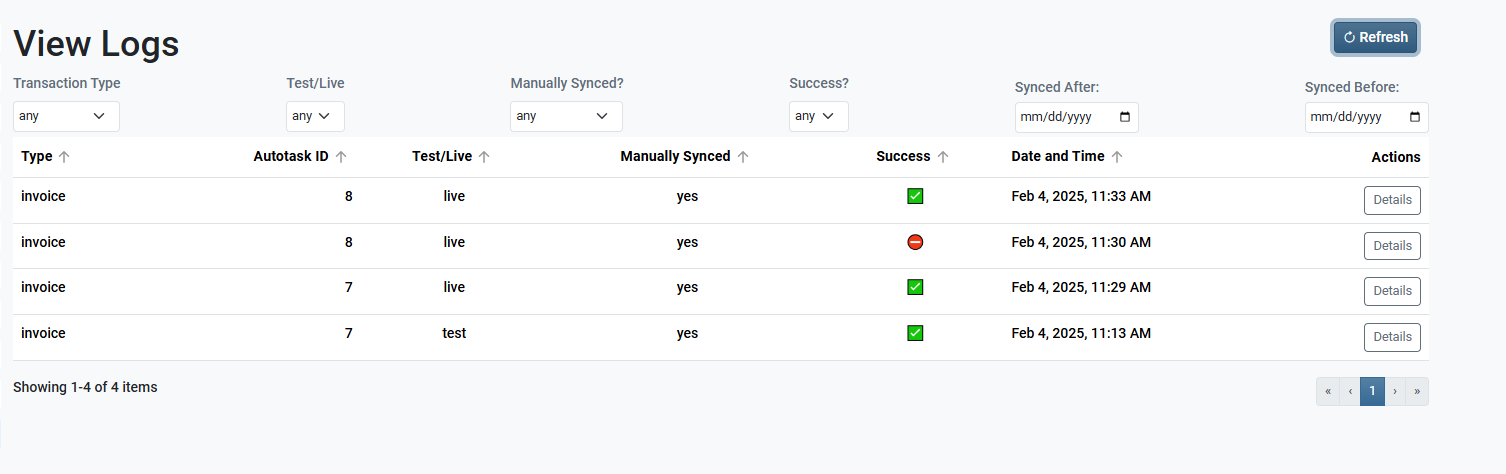
By default, the log will display up to the last 10 synced items per page within the selected data range.
NOTE The default date range is the first day of the prior month through the current date. Any transactions within this range are displayed when the page loads.
To search outside of the default date range:
-
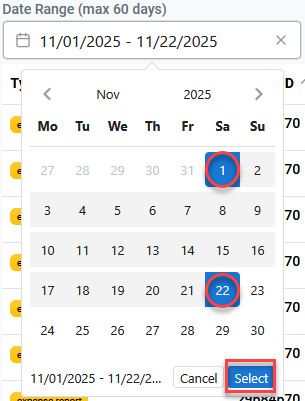
Click inside the Date Range (max 60 days) field.
-
Select the start and end dates then click Select.
NOTE If your date range selection returns more than 1,000 transactions, the system will continue to display the logs, but a message will appear at the bottom of the screen indicating that the date range should be narrowed in order to filter or locate specific entries more efficiently.
Additional filtering can be applied by clicking on any of the Transaction Type, Test/Live, Manually Synced?, or Success? drop-downs.
You can sort results by clicking on either the Type, Autotask ID, Test/Live, Manually Synced, Success, or Date and Time columns.
 Details
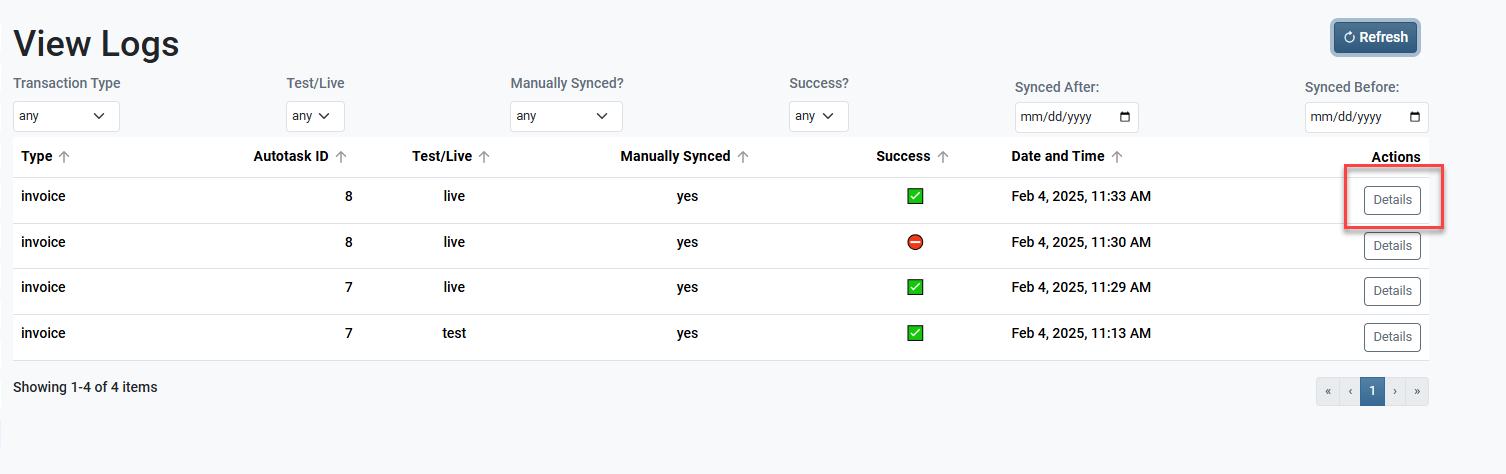
Click Details in the Actions column to display a detailed activity log of the selected transaction.
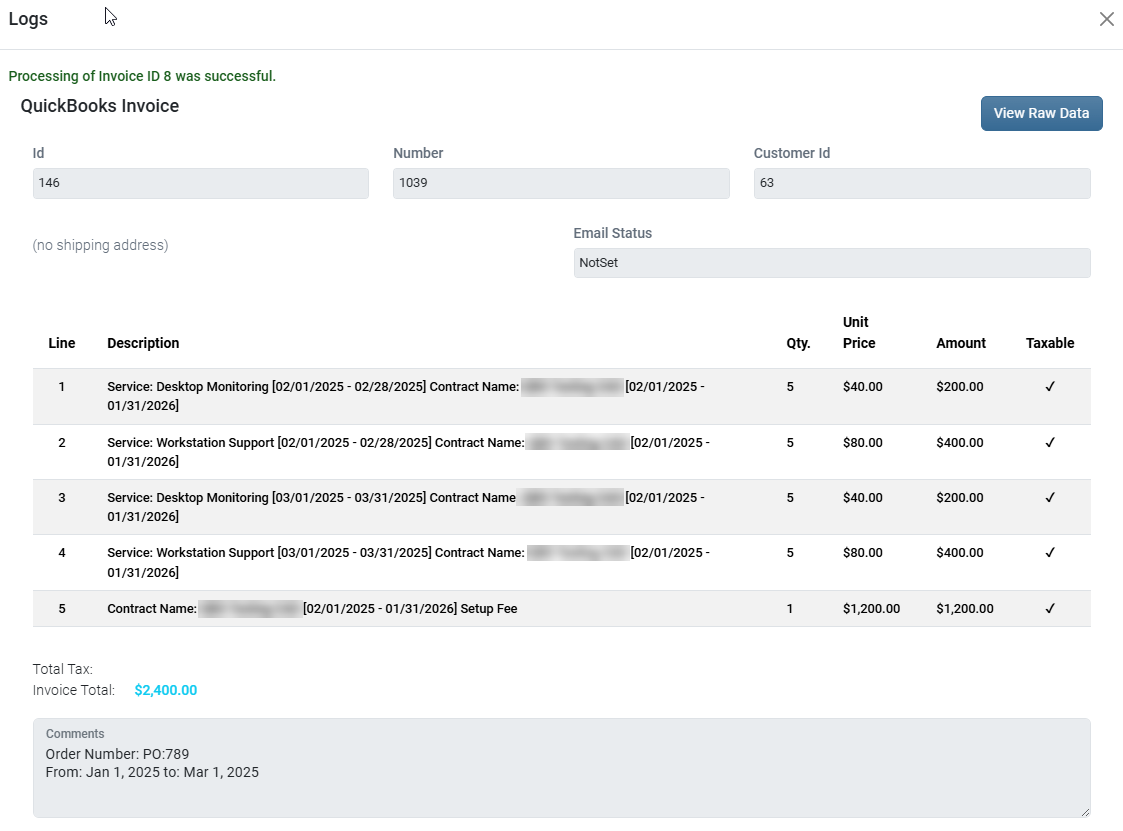
The top half of this page is dedicated to assist in pinpointing data sync errors based on the associated field. It displays the fields that synced or attempted to sync to QuickBooks.
The bottom half of this page displays the Job Transcript. The Job Transcript lists every step taken during the transaction's sync to QuickBooks. This is useful for you and other support resources in finding which step of the sync failed or caused an error.
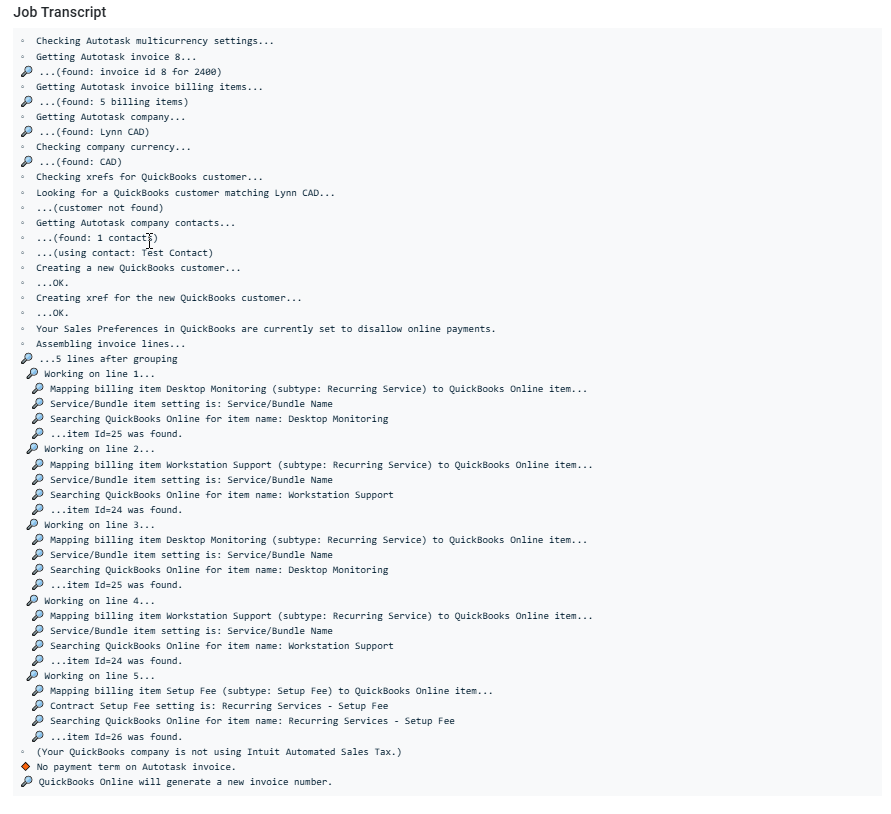
View Raw Data
From the Details page, click View Raw Data to view the entire activity log's source code to provide support assist with any further troubleshooting. Refer to Troubleshooting Smart Accounting Hub sync errors for more information.
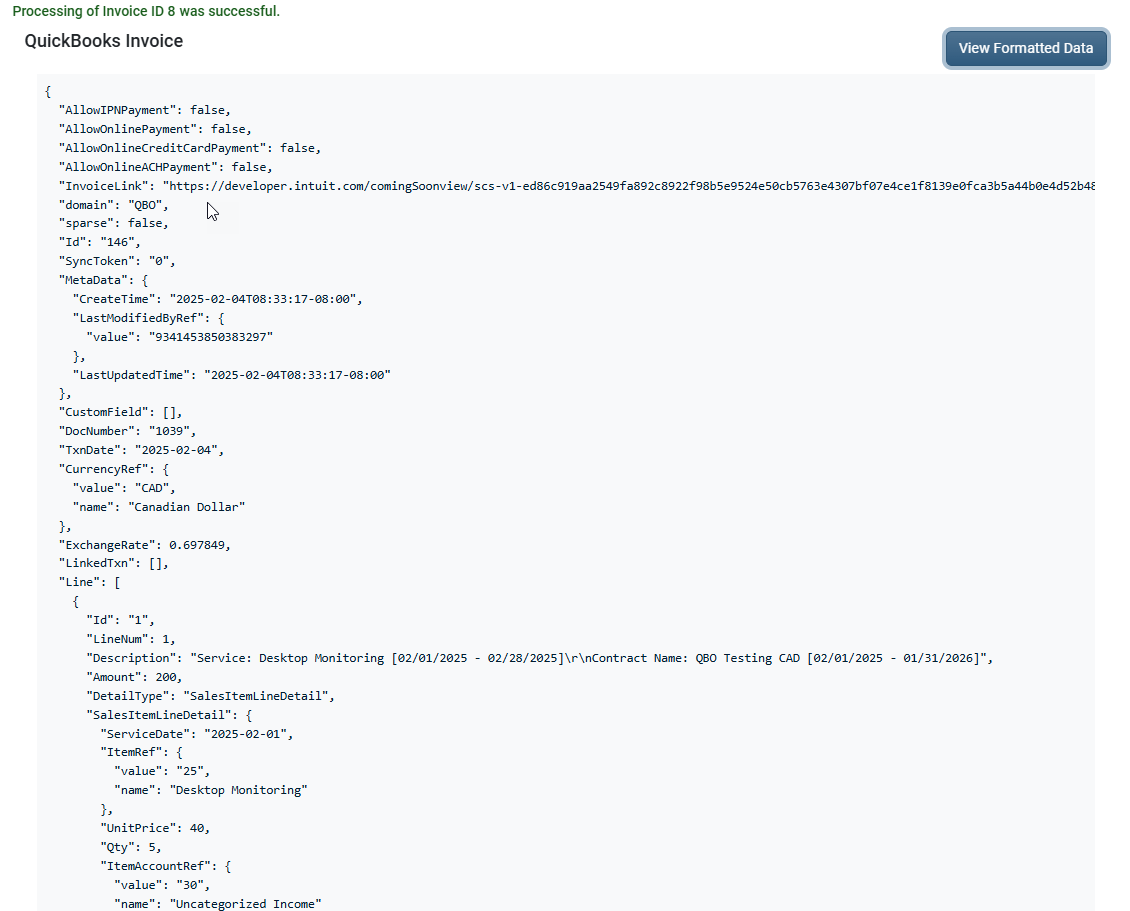
Click View Formatted Data to return to the Details page.


